January 7th, 2026

Added GPT 5.1, GPT 5.2
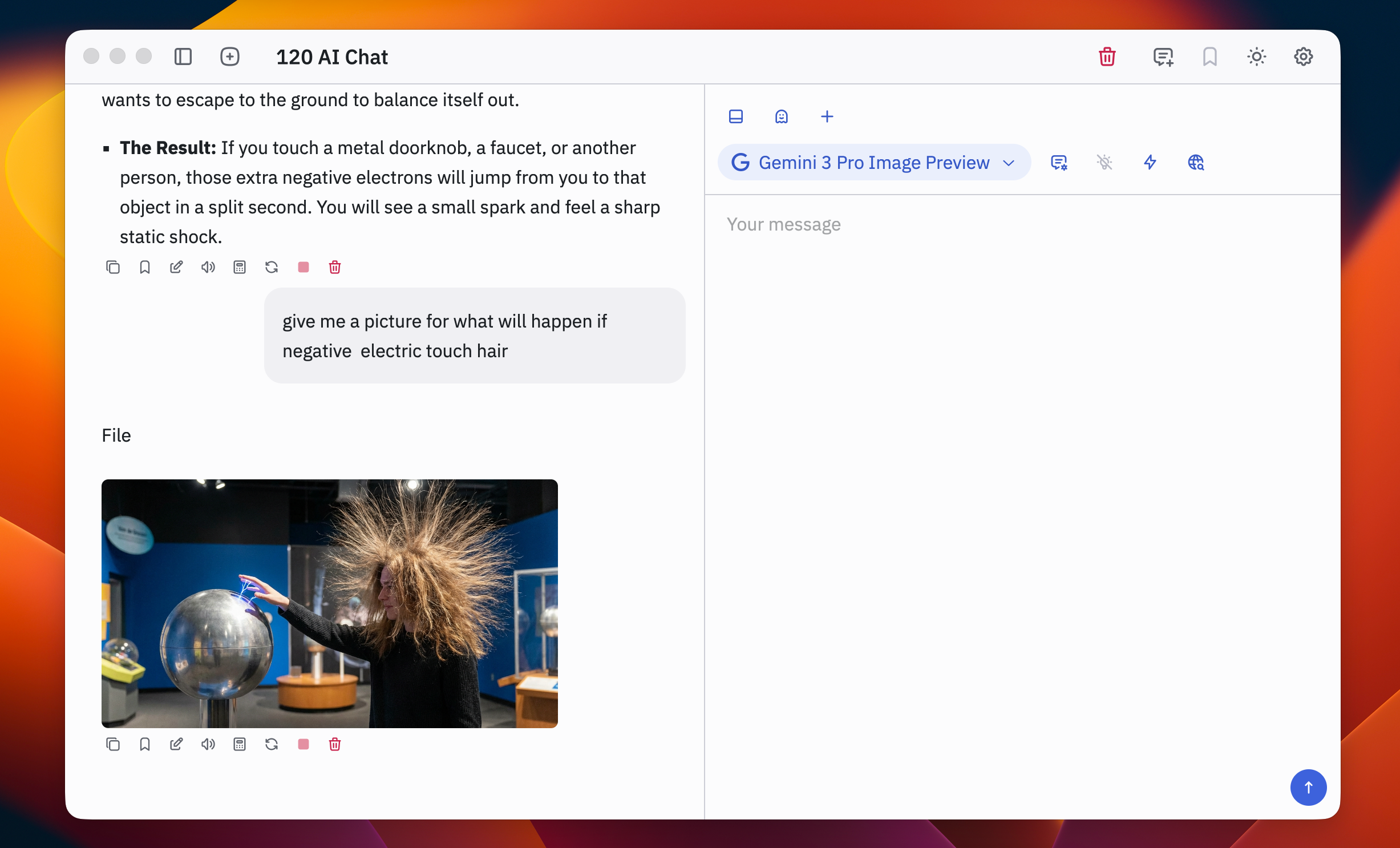
Added Gemini Pro 3, Gemini Flash 3, Nano Banana Pro
Added Claude Opus 4.5
Added Grok 4.1 Fast, Grok 4.1 Thinking
Added the ability to change the input message box layout:
Horizontal mode
Vertical mode for easier prompt editing with less scrolling
Added scrollbars to improve usability in long lists:
Model search list
Prompt search list
Workspaces for organizing chats, prompts, and content by project or context
Multi-tab / multi-thread chat (support for more than 3 threads open at once)
HTML preview inside 120 AI Chat (render HTML directly in-app)
October 22nd, 2025

This release brings 120 AI Chat to Windows while introducing essential productivity features for organizing and searching your conversations and content.
120 AI Chat is now available for Windows
Native Windows app with UI consistency matching macOS
Performance is solid and all core functions work as expected
Auto-update is functioning properly for seamless version updates
Web Search Integration
Search the web directly from conversations to supplement AI responses
Helps verify information and access current data
Model Search
Filter and find models quickly in the expanded model menu
Message Bookmarking
Save important messages to a dedicated Bookmark Vault Quick access to key insights and responses across conversations
Conversation Starring
Mark frequently used conversations as favorites
Easier navigation to your most-used chats
Incognito Mode
Temporary chat sessions that don't save to history
Useful for testing prompts or sensitive queries
File Attachments
Upload PDFs and images to include in your prompts AI can reference and analyze attached files
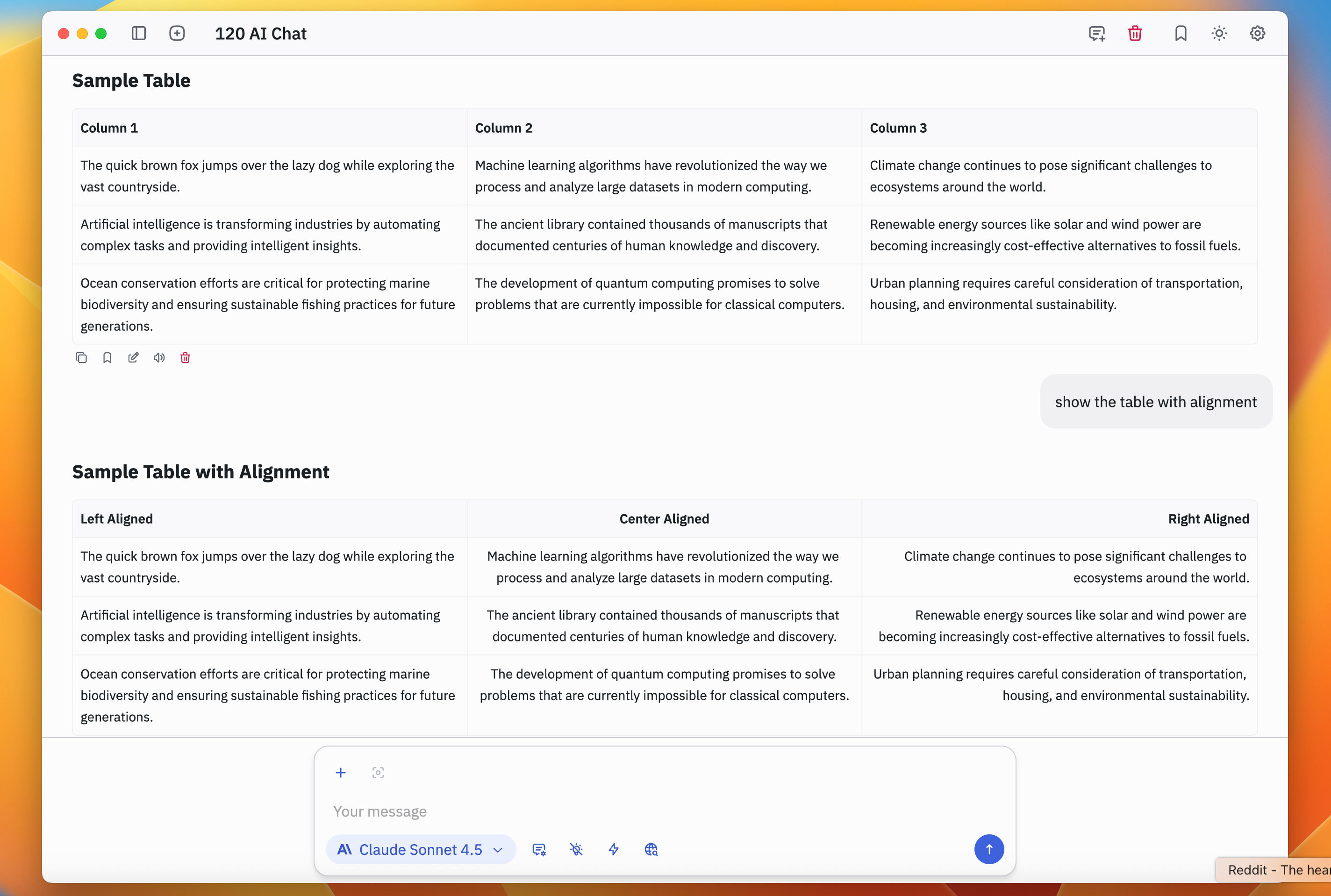
Improved Table Rendering
Better text wrapping and alignment in table displays
Added row and column borders for clarity
Claude Haiku 4.5 Fast, lightweight reasoning model from Anthropic
OpenRouter Free Models Highlighted selection of quality free models for cost-conscious users
September 1st, 2025

This release marks the largest feature upgrade to date, transforming 120 AI Chat from a text-first client into a comprehensive multimodal AI platform.
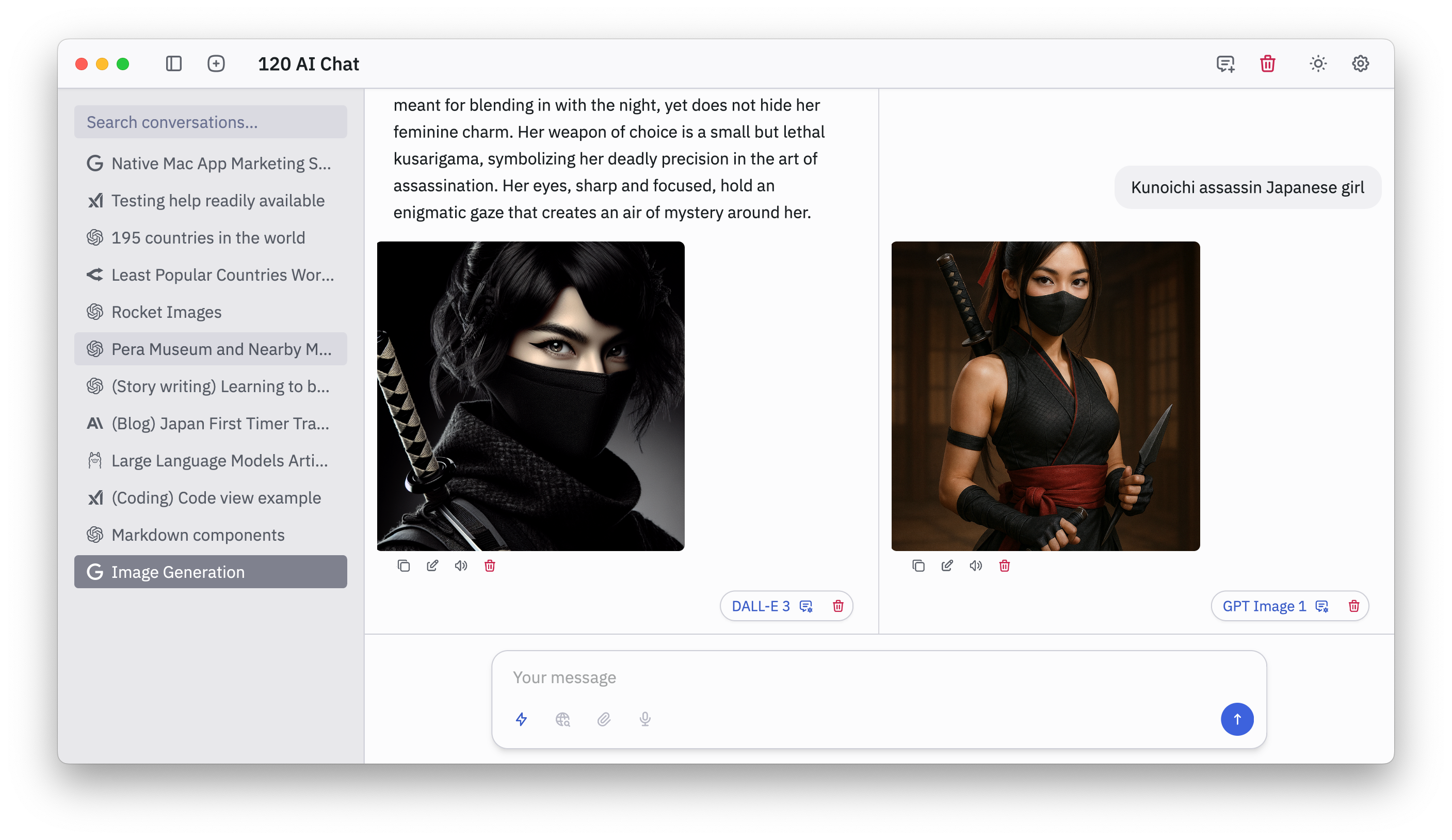
Rich text and inline images: AI-generated images now render directly within conversation threads
Unified preview workflow: View, save, and reference images seamlessly without leaving the chat
OpenAI: Full support for the latest GPT models with multimodal and reasoning capabilities
Anthropic Claude: Complete model family integration from lightweight to advanced reasoning
xAI Grok: Native support for Grok models, including specialized knowledge domains
Vercel AI: Optimized models for fast responses and web-development use cases
OpenRouter integration: Unified access to dozens of AI providers via a single API key
Integrated support for leading image generation systems
DALLΒ·E 3
GPT Image
Google Gemini 2.0 Flash and Gemini Flash 2.5
Stable Diffusion
Grok Image 2
Hugging Face Flux.1
Users can compare outputs, iterate on prompts, and maintain visual continuity across providers
Adjustable AI reasoning levels: No, Low, Medium, High
Balances speed versus depth for casual chats, problem-solving, or advanced research
Prompt library: Organized, searchable storage for reusable prompts
System prompts: Define AI personality, style, and behavior across conversations
Full CRUD support: Add, edit, or delete prompt templates within Settings
Tooltip system: Contextual hover guides for faster learning and feature discovery
Accessibility enhancements: Extra context for UI elements to support diverse workflows
Grok Code Fast 1: Optimized for rapid code generation, debugging, and analysis
Gemini Flash 2.5 Image Generation: Faster, higher-quality image workflows for prototyping and iteration
Optimized for macOS native performance, ensuring smooth responsiveness
Cross-platform groundwork underway, preparing expansion to Windows and Linux
July 13th, 2025

Multi-threaded chat: Create multiple threads within a single conversation to interact with different language models side by side, without losing shared context. Ideal for comparing responses, exploring model behavior, or iterating on the same prompt with variations.
Thread controls:
Resize thread panels
Edit or delete messages in any thread
July 8th, 2025

First public release of 120 HN, a fully native, cross-platform Hacker News client focused on performance and usability.
Native macOS implementation
Optimized rendering pipeline
Fast UI updates and minimal resource usage across macOS
Threaded comment viewer
Efficient rendering of large discussion threads with context preservation.
AI integration (optional)
GPT-based summarization and contextual assistance using user-provided OpenAI API key.
Claude and local model support coming soon.
June 25th, 2025

Chat Settings Panel:
Fine-tune how the AI responds with new adjustable parameters:
Message Context Limit: Control how many previous messages are included for context in each prompt.
Max Output Tokens: Set the maximum length of AI responses.
Temperature, Top P, Top K: Adjust randomness and sampling behavior.
Presence & Frequency Penalty: Influence repetition and creativity.
Improved Markdown Rendering:
Cleaner formatting for code blocks, lists, and text styling to improve readability.
Rename Chat Title:
Easily rename your chat sessions for better organization.
Title Bar Fix:
Fixed alignment and behavior issues with the window title bar.
Anthropic Integration:
Claude Sonnet 4
Claude Opus 4
Local LLMs supported through Ollama:
Llama 3.2, Deepseek R1, and Mistral
May 5th, 2025

We are pleased to announce the MVP release of 120 AI Chat on May 5, 2025 on macOS (Universal and Intel chip). This initial release focuses on the core conversation interface with an efficient design, reflecting our emphasis on user experience and conversational intelligence.
Send and receive messages: Chat seamlessly with AI models using a clean, responsive interface.
AI-powered replies: Get fast, contextual responses powered by OpenAIβs GPT models.
Use your own API key: Connect your personal OpenAI API key for full control over usage and billing.
Dark, Light, and System themes: Switch between themes to suit your environment or system settings.
Stay tuned, more updates are on the way as we expand capabilities and refine the experience.